How to win with AI
Many people use ChatGPT every day, but how many actually consider the way they structure their prompts?
I’ve been exploring how small changes to the way we communicate with AI can make a significant difference to the quality of the responses we receive.
One particularly useful technique is to borrow some simple formatting conventions from Markdown.
You don’t need to be a programmer or an AI expert to use them.
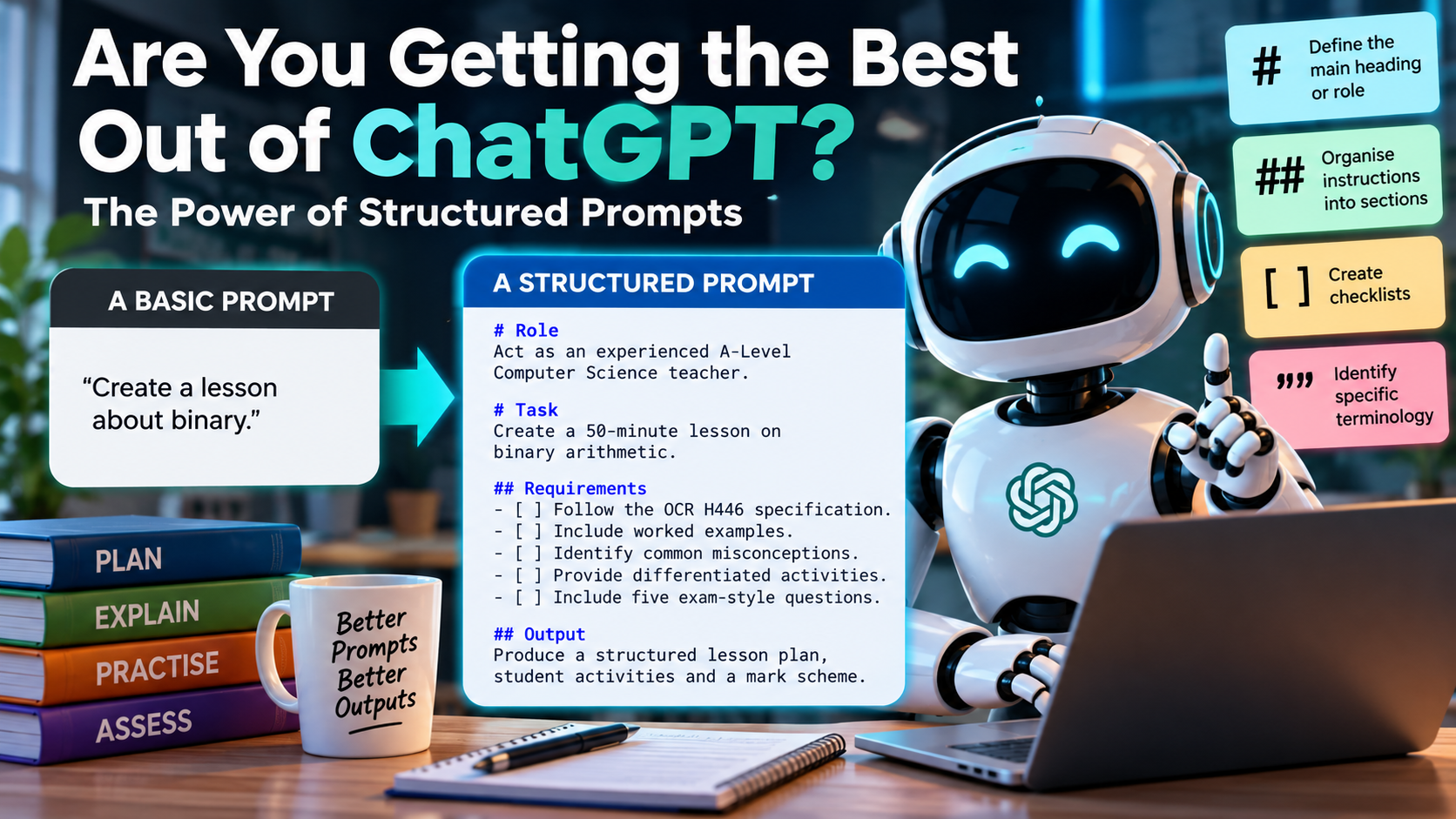
Four Simple Symbols That Can Improve Your Prompts
1. # – Define the Main Heading or Role
Use # to establish the overall context.
Example:
# Act as an experienced Computer Science teacher2. ## – Organise Instructions into Sections
Breaking complicated requests into clearly defined sections makes them easier for AI to interpret.
Example:
## Learning Objectives3. [ ] – Create Checklists
Useful for identifying specific requirements or tasks that need to be completed.
Example:
- [ ] Include differentiated activities4. ” ” – Identify Specific Terminology
Quotation marks help distinguish exact phrases, terminology or text you want ChatGPT to consider.
Example:
Explain the concept of "computational thinking".What Does This Look Like in Practice?
Consider two prompts asking ChatGPT to create a lesson.
A Basic Prompt
Create a lesson about binary.
A Structured Prompt
# Role
Act as an experienced A-Level Computer Science teacher.

# Task
Create a 50-minute lesson on binary arithmetic.

## Requirements
- Follow the OCR H446 specification.
- Include worked examples.
- Identify common misconceptions.
- Provide differentiated activities.
- Include five exam-style questions.

## Output
Produce a structured lesson plan,
student activities and a mark scheme.
Both prompts ask for essentially the same thing, but the second provides considerably more information about what is expected.
The result is likely to be more relevant, better organised and require less editing.
Why Does This Work?
It isn’t because these symbols unlock hidden features within ChatGPT. They don’t.
The advantage comes from giving the AI a clearer understanding of the task.
In my experience, five principles make the biggest difference:
- Context: Explain what you’re trying to achieve and why.
- Clarity: Be specific about what you want.
- Constraints: Define what should and shouldn’t be included.
- Structure: Organise complex instructions logically.
- Iteration: Don’t assume the first response is the best response. Challenge it, refine it and improve it.
Why Is This Particularly Relevant to Education?
As teachers, we spend a considerable amount of time helping students develop the ability to communicate clearly, organise their thinking and evaluate information critically.
Interestingly, these are precisely the skills that make someone effective at using generative AI.
I think there is an important distinction between teaching students how to use AI tools and teaching them how to use those tools effectively.
Simply entering a question and accepting the response isn’t necessarily demonstrating digital literacy.
Knowing how to formulate a precise question, evaluate the quality of the answer, identify inaccuracies and refine the output is a much more valuable skill.
And this applies just as much to teachers and other professionals as it does to students.
The real skill isn’t knowing a collection of clever prompts. It’s knowing how to communicate what you need, recognise when the response isn’t good enough and understand how to improve it.
As AI becomes increasingly embedded in education and the workplace, I suspect these skills will become just as important as knowing how to use the technology itself.
I’d be interested to hear whether others have found that changing the way they structure prompts has improved the quality of their AI-generated responses.